Field Service app

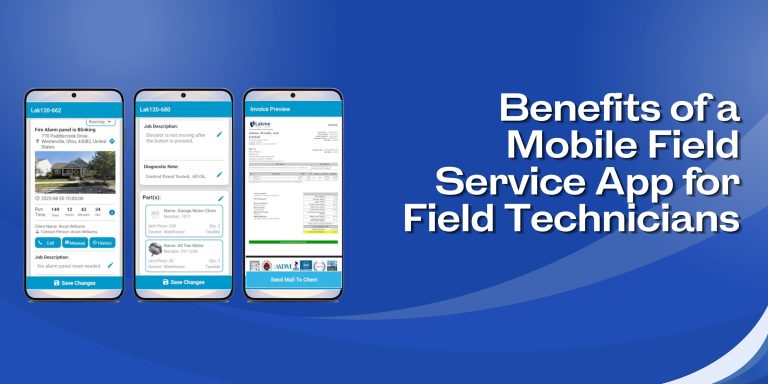
8 Benefits of a Mobile Field Service App for Field Technicians

Field technicians are always on the move. One job ends, and another begins, sometimes in a completely different part of town. Carrying paperwork orders, calling the office for customer details, or waiting for updates slows everything down.

A mobile field service app puts all the important information right on a technician’s phone or tablet. No more back-and-forth calls. No more guesswork. Just the job details, history, and tools needed to get the work done properly. Here are 8 benefits that make a real difference in daily field work.

1. One-Click Access to Full Job Details

The moment a job is assigned, the technician gets a notification. Opening the job makes everything visible instantly, from the customer’s name to address, job description, and previous service history.

Available for technicians to review:

  • Full job details
  • Customer information and contact numbers
  • Job history and asset information
  • Calendars and daily schedules

No phone calls required. Everything is there in one place.

2. Full Customer and Equipment Repair History

Before arriving at a job site, a technician can already know what was done there last time. The app shows the complete service and repair history for every customer and every piece of equipment.

This helps technicians:

  • Ensure that all previous work is checked before beginning any new job.
  • Check the specification sheets, warranties, and other records related to each machine.
  • Include additional diagnostic comments while performing the present service.
  • Speak to the clients with confidence, based on actual information rather than guessing.

3. Real-Time Updates Between Field and Office

When something changes at the office, the technician finds out right away by email or text. When a technician updates a work order on site, the office sees it immediately, too.

This two-way update system cuts out most of the unnecessary calls during the day. Schedule changes, job notes, and status updates all move back and forth without delay. The office and the field always stay in sync.

4. Quotes and Invoices Created Right at the Job Site

There is no need to get back to the office or wait until the next day to send a quote. The app lets technicians build estimates on the spot using actual inventory, service, and labor data.

From the field, technicians can:

  • Quotes with detailed information can be built from images, parts numbers, and prices.
  • An estimate can be generated and submitted to customers within a few seconds.
  • Generate an official invoice for the work right after finishing the service.
  • Take the payment directly from customers via credit cards, bank transfer, cash, checks, etc.

5. Photos, Signatures & Inspection Forms

It is difficult to trace paper documents. Technicians have everything they need to document their work using a single mobile field service application: capturing images of the equipment, writing diagnostic and completion notes, and signing a document right from a phone.

Custom checklists and inspection forms will allow technicians to document equipment state systematically. Over time, a reliable service record is accumulated.

6. Manage Inventory and Access Parts Remotely

Technicians can check in advance whether required parts are already in the warehouse. In case of necessity, a technician will be able to order additional parts remotely before performing a service.

Using the app, technicians will be able to:

  • Document materials and parts used in a particular job
  • Capture information about time and materials on-site
  • Maintain inventory without any extra paperwork

7. Timesheets and Auto-Invoicing

The clock-in and clock-out details are managed within the application. Technicians will manage clocking themselves right from their smartphones, eliminating the use of paper timesheets and reducing billing mistakes.

Once a job is marked as complete, the automatic sending of an invoice becomes possible. This ensures faster billing and minimizes chances of misunderstandings regarding what work was completed and how much time was spent.

8. Works Even Without an Internet Connection

The locations that have poor internet connectivity, such as remote regions and basements, create difficulties for field technicians. The mobile app can assist in helping the technicians view information about the work schedule even without an internet connection.

There are some aspects that require an internet connection; however, work-related information can still be viewed despite the lack of internet connectivity.

Why Field Force Tracker Stands Out

Field Force Tracker is an enterprise-grade field service software that has been in development for over 15 years. It is used by thousands of businesses in 30+ countries and supports industries including HVAC, plumbing, electrical, security, fire alarms, elevator and lift repairs, copiers, office automation, medical equipment, industrial equipment repair, and more.

Key Things to Know About Field Force Tracker

  • Native mobile apps available on Apple App Store and Google Play Store.
  • Works on any iPhone, Android phone, or tablet.
  • Supports multiple time zones and currencies for international teams.
  • Covers scheduling and dispatch, work order management, inventory, invoicing, contracts, timesheets, sales CRM, reports, and more.
  • Offers personalized onboarding, unlimited online support, and help with data migration from old systems.
  • Integrates with QuickBooks, Xero, Sage, and other tools via API.

FAQs (Frequently Asked Questions)

  1. How do technicians download the Field Force Tracker app?

The app is available on the Apple App Store for iPhone and iPad and on the Google Play Store for Android phones and tablets.

  1. Can a field tech create a new work order from the app?

Yes, a technician can create or schedule a work order directly from the mobile app. Admin controls allow businesses to set how this works based on their own workflow.

  1. Can technicians reschedule jobs from the mobile app?

Yes, a technician can pause a job and push it to a later date or time. The app gives technicians several controls to manage their jobs throughout the day.

  1. Can quotes and estimates be built from the mobile app?

Yes, Quotes can be generated by technicians from the field through the use of information related to products in inventory, work, and services. Pictures, product numbers, and prices can all be viewed within the application to develop estimates.

  1. Can invoices be created and payments collected in the field?

Yes, a technician can generate a professional invoice after finishing a job and take payment on the spot by credit card, ACH, cash, check, or digital payment.

  1. Can technicians add diagnostic notes for equipment they service?

Yes, the app allows technicians to add diagnostic notes to each piece of equipment during a service visit, which builds a complete and searchable maintenance history over time.

Get Started with Field Force Tracker

Field Force Tracker is trusted by field service businesses across 30+ countries. The mobile app works on both iPhone and Android and is built to be fast and easy to pick up, even for technicians who are not very tech-savvy.

A free trial is available at fieldforcetracker.com.