AI Agent for Copier Meter Management and Rental Billing Software

Field Force Tracker Launches Revolutionary AI-Powered Copier Meter Collection Agent, Eliminating Traditional DCA Technology

New AI Integration Automates Real-Time Meter and Toner Level Collection Without Data Collection Agent (DCA) Servers or Client Software

Princeton, NJ – June 22, 2026Field Force Tracker (FFT), a top-rated Field Service Management and Copier Business ERP software platform, today announced the launch of its groundbreaking Copier AI Integration Agent, a revolutionary technology designed to automate copier meter and toner collection without the need for traditional Data Collection Agent (DCA) servers or client software installations.

For decades, copier dealers and managed print service providers have relied on cumbersome DCA technologies that require software installation at customer locations, ongoing maintenance, server management, security exceptions, and significant IT involvement. These legacy approaches have created operational challenges for dealers and customers alike.

The new Copier AI Integration Agent developed by the Field Force Tracker engineering team completely transforms this process.

Using advanced AI-powered automation and intelligent data processing, the Copier AI Integration Agent gathers real-time meter readings and toner levels directly from installed copiers and printers, eliminating the need for traditional DCA infrastructure. The collected information is automatically processed and populated into Field Force Tracker’s meter management system, enabling accurate billing, proactive toner replenishment, automated alerts, and comprehensive fleet management.

“This is one of the most significant innovations in copier management technology in recent years,” said Dr. Brijesh Kumar, CTO and Chief Products Officer at Field Force Tracker. “Meter collection has always been one of the most critical and challenging operational requirements for copier dealers. Our AI-powered solution removes the complexity, cost, and maintenance burden associated with traditional DCA systems while delivering timely and accurate meter data.”

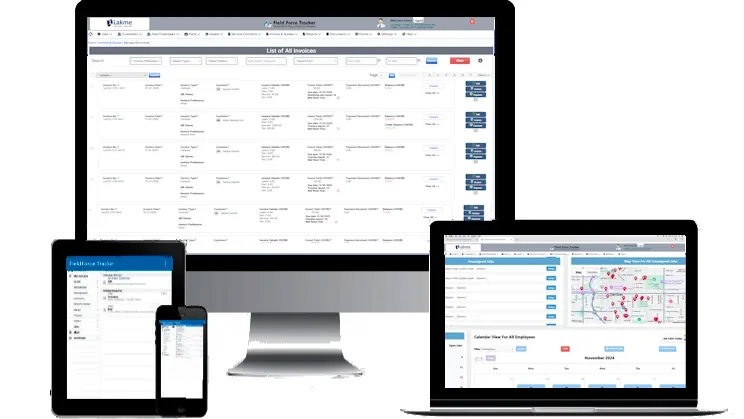
Using AI Agent to Manage Copier Meters and Rental Billing

Figure 1: Managing Copier Meters Using AI Agent

Key Benefits of the Copier AI Integration Agent

  • No DCA Servers Required – Eliminates the need for dedicated meter collection servers.
  • No Client Software Installation – Removes software deployment and maintenance at customer locations.
  • Real-Time Meter Collection – Automatically gathers copier and printer meter readings.
  • Automated Toner Monitoring – Tracks toner levels and generates replenishment alerts.
  • Improved Billing Accuracy – Ensures rental and cost-per-copy invoices are generated using current meter data.
  • Reduced IT Overhead – Minimizes support requirements for dealers and customers.
  • Enhanced Customer Experience – Provides seamless, automated meter collection without disruption.
  • Scalable Enterprise Solution – Supports fleets ranging from small businesses to large multi-location organizations.

Solving the Copier Industry’s Biggest Challenge

Monthly meter collection is the foundation of rental billing and managed print services. Historically, obtaining accurate and timely meter readings has been labor-intensive and dependent on technologies that require ongoing maintenance and customer cooperation.

Field Force Tracker’s AI-powered approach addresses this long-standing industry challenge by automating the entire process. Dealers can now collect meter information, monitor toner status, generate invoices, and manage service operations through a single integrated platform.

The innovation enables copier dealers to improve operational efficiency, reduce administrative costs, accelerate billing cycles, and deliver better service to customers.

Integrated with Field Force Tracker Copier ERP

The Copier AI Integration Agent is fully integrated into Field Force Tracker’s comprehensive Copier ERP platform, which includes:

  • Service Dispatch and Scheduling
  • Contract Management
  • Meter Billing Automation
  • Inventory Management
  • Toner Fulfillment
  • Customer Portal
  • Mobile Field Technician App
  • Accounts Receivable and Invoicing
  • Business Analytics and Reporting

Availability

The Copier AI Integration Agent is available immediately to Field Force Tracker copier industry customers.

For more information or to schedule a demonstration, visit https://www.fieldforcetracker.com.

About Field Force Tracker

Field Force Tracker (https://www.fieldforcetracker.com) is a leading field service management and copier ERP software platform designed to help service organizations streamline operations, automate workflows, manage contracts, track inventory, improve technician productivity, and increase profitability. The platform serves copier dealers, managed print service providers, telecommunications companies, fire and security businesses, medical equipment service organizations, and other field service industries worldwide.

Field Force Tracker has its main office in Princeton, NJ, USA, and sales and support offices in several locations in the US, India (Delhi), and UAE (Dubai).

Media Contact

Field Force Tracker
Sales & Marketing Department
Website: www.fieldforcetracker.com
Email: jessica@fieldforcetracker.com


Best Field Service App Features

Best Field Service App Features for HVAC Technicians

Running an HVAC business takes more than knowing how to fix or install a unit. Schedules need to be managed, parts have to be tracked accurately, quotes must go out before the customer loses interest, and service history should be available the moment a technician walks through the door.

A well-built field service app handles these operational details in the background, so technicians can spend their time on the actual work rather than paperwork.

A surprising number of HVAC companies still rely on phone calls, handwritten notes, and spreadsheets to keep things running. It gets the job done, for a while. But this approach eventually leads to missed appointments, lost business, and technicians showing up without the information they need on site.

The U.S. Bureau of Labor Statistics projects HVAC technician employment to grow nearly 9% through 2032, a faster pace than most other skilled trades. With the kind of demand on the horizon, having a reliable, organized system in place stops being optional and starts being necessary.

This blog covers the features that genuinely matter for HVAC technicians and teams responsible for managing them.

Why HVAC Businesses Need a Field Service App

HVAC work involves a lot of moving pieces on any given day. Technicians travel between job sites, often carrying different tools and parts depending on what each visit calls for. Meanwhile, the office needs to know where every technician is, what job they’re on, and whether the customer’s service agreement is still valid.

Without proper software, keeping track of all this becomes a challenge. Calls get missed, technicians arrive without the right information, and invoices sit unsent longer than they should.

A dedicated HVAC field service app brings all of this together in one place, so the office and the field are always working from the same accurate data.

Must-Have Features in an HVAC Field Service App

Here’s what actually matters when you’re picking software for HVAC technicians and dispatch teams. Have a look at them for a better understanding:

1. Smart Scheduling and Dispatching

Getting the right technician to the right job, at the right time, is harder than it sounds. A solid app should let dispatchers drag jobs onto a calendar and assign them based on technician skill and location, not just whoever’s free.

  • Drag and drop scheduling cuts down planning time compared to doing it manually.
  • Technicians receive job alerts instantly on their phones.
  • Dispatchers can switch between daily, weekly, and monthly views.
  • Built-in map support helps cut down on wasted travel time.

2. Mobile Apps for Technicians

Technicians are rarely sitting at a desk, so a mobile app isn’t really optional anymore. It needs to show job details, pull up customer history, and let techs snap photos or grab signatures without going back to the truck for paperwork.

A mobile app worth using should let technicians:

  • See dispatched jobs and estimate assignments as they come in.
  • Pull up driving directions to the next stop.
  • Take photos and jot notes during the visit.
  • Capture signatures before and after the job.
  • Send invoices the moment the work wraps up.

3. Customer and Equipment History

Repeat customers and recurring service calls are common in HVAC, so having past records on hand saves real time. Knowing what unit was installed during the last visit, or what issue came up before, means technicians stop asking the same questions over and over.

It also builds trust. Customers notice when a company remembers its history instead of starting from scratch every single time.

4. Quoting and Estimating Tools

Winning a new installation job often comes down to how fast and professional your quote looks. Technicians should be able to put together estimates on the spot, with product and service details already filled in.

  • Estimates with pre-populated line items, no typing from scratch.
  • Good, better, best pricing tiers for new system installs.
  • One-click conversion from estimate to job.
  • Quotes sent by email straight from the field.

5. Inventory and Parts Management

Running out of a part halfway through a job is one of the more annoying things that can happen to a technician. The right app tracks parts across trucks and warehouses, whether they’re serialized or not.

This kind of visibility means technicians always know what they’ve got on hand, and the business avoids both over-ordering and running short during busy months. Poor inventory tracking is often pointed to as one of the biggest reasons service calls get delayed in this industry.

6. Service Agreements and Maintenance Plans

A good chunk of steady income in HVAC comes from service contracts and maintenance plans. Software should make it easy to set these up, check coverage, and bill automatically when payments are due.

Look for these capabilities:

  • Setting up different types of service agreements.
  • Checking customer entitlements before a job even starts.
  • Automated recurring billing for active contracts.
  • Renewal tracking so nothing gets missed.

7. Invoicing and Payment Collection

Doing good work doesn’t mean much if payment takes weeks to come through. Technicians should be able to generate an invoice right after finishing the job and collect payment on the spot through their phone.

Syncing with accounting software like QuickBooks, Xero, or Sage also saves hours of manual entry, which matters more than people think once the job volume picks up.

8. Reports and Performance Tracking

Owners need to know what’s actually happening across the business, not just guess at it. A useful app should show technician productivity, job profitability, and parts usage in one dashboard.

This kind of reporting catches problems early, whether that’s a technician falling behind or a part that keeps running low week after week.

How These Features Help HVAC Businesses Grow

Put all these pieces together, and the result is fewer missed appointments, faster billing, and customers who stick around.

Technicians spend less time buried in paperwork and more time actually fixing units. The office spends less time chasing updates and more time growing the business.

Where Field Force Tracker Fits In

Field Force Tracker is built around exactly the needs covered above. It brings scheduling, dispatching, mobile job management, quoting, inventory tracking, service agreements, invoicing, and reporting together into one system instead of forcing teams to juggle separate tools.

A few things worth knowing about the platform:

  • It is used by HVAC and refrigeration companies across more than 30 countries.
  • Mobile apps are available for both iOS and Android, and stay synced with the office in real time.
  • Technicians can pull up customer history on the spot and build good, better, best quotes for new installations.
  • Payments can be collected directly in the field through the mobile app.
  • The software connects with QuickBooks Desktop, QuickBooks Online, and Sage, so accounting workflows don’t need to change.

Several HVAC business owners using the platform have reported sales growth of 80 percent or more after switching away from paper systems or software that just didn’t fit how they worked.

For anyone running an HVAC business and weighing their options, Field Force Tracker offers a free trial or live demo, which is usually the easiest way to see if it actually fits before committing to anything.

Final Thoughts

Picking the right field service app isn’t about chasing the longer feature list. It’s about finding the features that solve these problems your technicians deal with every day, scheduling, mobile access, quoting, inventory, and billing, all working together without forcing your team to bounce between five different tools.

Field Force Tracker brings all of this into one platform built specifically for HVAC businesses, making it a practical choice for teams looking to simplify how they work.

Field Service app

8 Benefits of a Mobile Field Service App for Field Technicians

Field technicians are always on the move. One job ends, and another begins, sometimes in a completely different part of town. Carrying paperwork orders, calling the office for customer details, or waiting for updates slows everything down.

A mobile field service app puts all the important information right on a technician’s phone or tablet. No more back-and-forth calls. No more guesswork. Just the job details, history, and tools needed to get the work done properly. Here are 8 benefits that make a real difference in daily field work.

1. One-Click Access to Full Job Details

The moment a job is assigned, the technician gets a notification. Opening the job makes everything visible instantly, from the customer’s name to address, job description, and previous service history.

Available for technicians to review:

  • Full job details
  • Customer information and contact numbers
  • Job history and asset information
  • Calendars and daily schedules

No phone calls required. Everything is there in one place.

2. Full Customer and Equipment Repair History

Before arriving at a job site, a technician can already know what was done there last time. The app shows the complete service and repair history for every customer and every piece of equipment.

This helps technicians:

  • Ensure that all previous work is checked before beginning any new job.
  • Check the specification sheets, warranties, and other records related to each machine.
  • Include additional diagnostic comments while performing the present service.
  • Speak to the clients with confidence, based on actual information rather than guessing.

3. Real-Time Updates Between Field and Office

When something changes at the office, the technician finds out right away by email or text. When a technician updates a work order on site, the office sees it immediately, too.

This two-way update system cuts out most of the unnecessary calls during the day. Schedule changes, job notes, and status updates all move back and forth without delay. The office and the field always stay in sync.

4. Quotes and Invoices Created Right at the Job Site

There is no need to get back to the office or wait until the next day to send a quote. The app lets technicians build estimates on the spot using actual inventory, service, and labor data.

From the field, technicians can:

  • Quotes with detailed information can be built from images, parts numbers, and prices.
  • An estimate can be generated and submitted to customers within a few seconds.
  • Generate an official invoice for the work right after finishing the service.
  • Take the payment directly from customers via credit cards, bank transfer, cash, checks, etc.

5. Photos, Signatures & Inspection Forms

It is difficult to trace paper documents. Technicians have everything they need to document their work using a single mobile field service application: capturing images of the equipment, writing diagnostic and completion notes, and signing a document right from a phone.

Custom checklists and inspection forms will allow technicians to document equipment state systematically. Over time, a reliable service record is accumulated.

6. Manage Inventory and Access Parts Remotely

Technicians can check in advance whether required parts are already in the warehouse. In case of necessity, a technician will be able to order additional parts remotely before performing a service.

Using the app, technicians will be able to:

  • Document materials and parts used in a particular job
  • Capture information about time and materials on-site
  • Maintain inventory without any extra paperwork

7. Timesheets and Auto-Invoicing

The clock-in and clock-out details are managed within the application. Technicians will manage clocking themselves right from their smartphones, eliminating the use of paper timesheets and reducing billing mistakes.

Once a job is marked as complete, the automatic sending of an invoice becomes possible. This ensures faster billing and minimizes chances of misunderstandings regarding what work was completed and how much time was spent.

8. Works Even Without an Internet Connection

The locations that have poor internet connectivity, such as remote regions and basements, create difficulties for field technicians. The mobile app can assist in helping the technicians view information about the work schedule even without an internet connection.

There are some aspects that require an internet connection; however, work-related information can still be viewed despite the lack of internet connectivity.

Why Field Force Tracker Stands Out

Field Force Tracker is an enterprise-grade field service software that has been in development for over 15 years. It is used by thousands of businesses in 30+ countries and supports industries including HVAC, plumbing, electrical, security, fire alarms, elevator and lift repairs, copiers, office automation, medical equipment, industrial equipment repair, and more.

Key Things to Know About Field Force Tracker

  • Native mobile apps available on Apple App Store and Google Play Store.
  • Works on any iPhone, Android phone, or tablet.
  • Supports multiple time zones and currencies for international teams.
  • Covers scheduling and dispatch, work order management, inventory, invoicing, contracts, timesheets, sales CRM, reports, and more.
  • Offers personalized onboarding, unlimited online support, and help with data migration from old systems.
  • Integrates with QuickBooks, Xero, Sage, and other tools via API.

FAQs (Frequently Asked Questions)

  1. How do technicians download the Field Force Tracker app?

The app is available on the Apple App Store for iPhone and iPad and on the Google Play Store for Android phones and tablets.

  1. Can a field tech create a new work order from the app?

Yes, a technician can create or schedule a work order directly from the mobile app. Admin controls allow businesses to set how this works based on their own workflow.

  1. Can technicians reschedule jobs from the mobile app?

Yes, a technician can pause a job and push it to a later date or time. The app gives technicians several controls to manage their jobs throughout the day.

  1. Can quotes and estimates be built from the mobile app?

Yes, Quotes can be generated by technicians from the field through the use of information related to products in inventory, work, and services. Pictures, product numbers, and prices can all be viewed within the application to develop estimates.

  1. Can invoices be created and payments collected in the field?

Yes, a technician can generate a professional invoice after finishing a job and take payment on the spot by credit card, ACH, cash, check, or digital payment.

  1. Can technicians add diagnostic notes for equipment they service?

Yes, the app allows technicians to add diagnostic notes to each piece of equipment during a service visit, which builds a complete and searchable maintenance history over time.

Get Started with Field Force Tracker

Field Force Tracker is trusted by field service businesses across 30+ countries. The mobile app works on both iPhone and Android and is built to be fast and easy to pick up, even for technicians who are not very tech-savvy.

A free trial is available at fieldforcetracker.com.

Fire Alarm Installer Software

Deploying Field Service Software for Service Business

In today’s fast-paced field service industry, managing a mobile workforce efficiently is crucial. Whether you’re running an HVAC repair business, a plumbing company, or an electrical contracting firm, juggling service calls, technician schedules, customer requests, and inventory can quickly become overwhelming. This is where Field Services Management Software plays a transformative role — streamlining operations and improving team productivity.

At the heart of this revolution is Field Force Tracker, a powerful solution that empowers field teams with smart scheduling tools, real-time updates, and seamless job tracking.

Why Smart Scheduling Matters for Field Teams

Manual scheduling is prone to errors — double bookings, missed appointments, and inefficient dispatching can cost your business time and money. Smart scheduling tools offered by Field Service Software like Field Force Tracker eliminate these risks by automating job assignments based on technician availability, location, and skill set.

With drag-and-drop calendars, GPS tracking, and real-time notifications, businesses can quickly assign the right technician to the right job — ensuring faster response times and better customer service.

Optimize Operations with Field Services Management Software

Field Force Tracker’s Field Services Management Software goes beyond scheduling. It provides end-to-end visibility of every service request — from job creation to completion. Managers can track work orders, monitor technician performance, manage customer information, and handle invoices all from one central dashboard.

These capabilities help reduce downtime, eliminate paperwork, and ensure that field operations run like clockwork.

Specialized Solutions for Every Trade

Every industry has its unique challenges, and Field Force Tracker understands that. That’s why the platform offers tailored solutions to meet the specific needs of various service businesses.

1. HVAC Field Service Software

For HVAC companies, scheduling emergency repairs and preventive maintenance efficiently is vital. With HVAC Field Service Software, dispatchers can assign jobs based on real-time technician availability and HVAC expertise, while technicians can access service histories and equipment details on-site via mobile devices.

2. Plumbing Service Software

Plumbing jobs often involve urgent requests and require precise coordination. With the Plumbing Service Software, plumbing businesses can automate appointment scheduling, track inventory, and generate invoices instantly, reducing the time spent on administrative tasks and boosting first-time fix rates.

3. Software for Electrical Contractors

Electrical projects can range from quick repairs to complex installations. The Software for Electrical Contractors enables accurate scheduling, safety compliance tracking, and seamless communication between office staff and electricians, ensuring every job is completed on time and safely.

4 Software for Fire Alarm and Security Service Businesses

Fire Alarm and Security Businesses deal with high level of compliance issues. The jobs could include new installation, inspections or simply fixing some areas.  With Fire Alarm and Security Service Software, businesses can automate appointment scheduling, track inventory, and generate invoices instantly, reducing the time spent on administrative tasks and boosting first-time fix rates. The system can auto generate monthly or quarterly invoices for monitoring services

5. Software for Elevator Service Businesses

Elevator Service Businesses deal with all kinds of urgent elevator repairs and installations. The jobs could include new installation, inspections or simply fixing some areas.  With Elevator Service Software, businesses can automate appointment scheduling, track inventory, and generate invoices instantly, reducing the time spent on administrative tasks and boosting first-time fix rates. The system can auto generate monthly or quarterly invoices for preventive maintenance services.

Mobile Access for On-the-Go Efficiency

Today’s workforce needs mobility. Field Force Tracker provides a robust mobile app that allows technicians to receive job updates, upload photos, collect digital signatures, and update service statuses — all from the field. This not only improves transparency but also enhances accountability and customer satisfaction.

Why Choose Field Force Tracker?

Trusted by businesses worldwide, Field Force Tracker delivers a comprehensive suite of features designed to improve service delivery and team productivity. From job scheduling and route optimization to reporting and customer management, it’s an all-in-one Field Service Software that adapts to your business needs.

Ready to Transform Your Field Operations?

Say goodbye to scheduling chaos and hello to a streamlined, automated workflow with Field Force Tracker. Whether you’re in HVAC, plumbing, electrical, or another service industry, our smart scheduling tools can make a real difference.

Keywords: Field Services Management Software, Field Service Software
Landing Page: https://www.fieldforcetracker.com/field-service-management-software/
Title: Simplify Your Team’s Workflow with Smart Scheduling Tools

Contact Field Force Tracker
📧 Email: info@fieldforcetracker.com
📞 Phone: 609-439-4775

Key Features

Preparing Professional Estimates and Quotes: A Guide for Service Business Owners

Every service business generates daily estimates and quotes to win new business.

Estimating cost for jobs is a key area of running any service business because they control its profitability and growth potential. Customers use estimates to gauge how much a new install will cost them, often drawing in estimates from multiple businesses before settling.

Whether you are a new or experienced business owner, understanding how to prepare a proper estimate is crucial for any business.  It avoids undercutting your services and generate a high success rate. In this article, we’ll cover some job estimate basics, as well as what steps you can take to create the perfect professional estimate.

A good Field Service Software, like Field Force Tracker, has very powerful quote and estimates capabilities. It will help you create professional estimates in minutes.  It also helps you with proper automated follow ups. As a service business, you cannot get a more comprehensive software at such an affordable price of mere $99.99 per month for your team.

What is a professional estimate?

A professional estimate is a document you provide prospective clients. It’s a proper document on the timeframe, costs, and resources needed to complete a project. Professional estimates can be found in every service-based industry from construction and manufacturing to IT and accounting firms. Each business will offer slightly different components in their professional estimate, but the basics generally include:

  • Services you’ll perform
  • Equipment that you would include
  • Parts and Supplies
  • Optional Items
  • Project deadlines
  • Major milestones
  • Material and supply costs
  • Estimated total cost

Each segment that is vital to the success of the project should be included here. Keep in mind that those categories will have subcategories with a more in-depth analysis of the timeframe and costs.

The difference between estimates, quotes, and invoices

Although they all seem similar, there are quite a few key differences between estimates, quotes, and invoices including:

  • Job estimate: This is an approximate cost or high-level ballpark figure for a project, but isn’t legally binding on a business. Let’s say you go out to a job and the customer asks you for an estimate budget for the project. You haven’t done any due diligence on market prices or timelines, so you give them a rough estimate of the price. The customer can’t hold you accountable for that price since it’s not a formal quote.
  • Quote: A quote is a formal proposal and a step above a job estimate, providing extensive detail on the costs of each component and services proposed including scope of the work. Once the customer accepts the quote, it serves as a legally binding contract for the cost and timeframe. This is why it’s important to accurately price your products and services since profitability of business depends on it. A good quote software, like Field Force Tracker, can  shows the profit of the quote when you are making a quote.
  • Invoice: An invoice is a bill for services rendered against which the customer will make a payment. This could be a down payment for a quote, progress payments on a project, or any other item that you provided a service in exchange for a fee. This document is provided to the customer after you’ve been formally hired and includes itemized costs and payment terms.

This table below shows difference between Quote, Estimates and Invoices

FeatureEstimateQuoteInvoice
Work Stage PreliminaryFormal ProposalOften after the work has been completed, but may also be created for receiving an advance.
Approval ProcessNot neededRequiredImplied based on approved quote.
Legal StatusInformal documentFormal and Legally BindingFormal and Legally Binding.
Types of DocumentSimple and InformalDetailed Work Breakdown with detailed scope of the work.Only financial data for making payments.

Each of these three components work together to complete a project. A job estimate is the preliminary discussion amount that leads to a formal quote. After the quote is accepted, the customer will receive an invoice. Properly keeping track of each document in a project is vital to complete the project on time and on budget. A  complete Field Service Software like Field Force Tracker can help you keep all information at one place.

Alarm Monitoring software

What to include in a job estimate

Whether this is your first quote or you have sent dozens before, there are a few components that should be present in each estimate including:

  • Company contact information
  • Project description
  • Overview of the services provided
  • Cost of materials and services

If you are giving the formal quote then you will include additional items such as:

  • Project timelines
  • Total cost
  • Payment terms
  • Additional terms and conditions

You want to use a job estimate as a high-level overview, giving you flexibility if prices increase or you uncover that the timeframe will take longer than initially expected.

How to prepare a perfect professional quote

When creating a professional quote, you want to take your time throughout the process to ensure you are catching key details and accurately projecting costs. Don’t treat this step as another item on your to-do list. It’s really meant to be a sales tool. Building an in-depth and accurate quote will set you apart from competitors through transparency and clear communication throughout the entire process, minimizing any surprises on both your end and the client’s side.

Here are some of our favorite ways to prepare an effective professional quote:

1. Analyze the project scope

An quote needs to have a timeline with an quoted completion date. Milestones should also be present throughout the timeline to ensure your team is staying on track. This also gives you the ability to charge progress payments. Many business owners take a conservative approach to the project timeline, giving plenty of time for delays or unexpected events. With worldwide shipping delays and material shortages, overestimating the time it takes to complete a project is wise.

What is the lead time on material purchases? Do you need to hire additional employees? Both of these questions impact the timeline. For large projects, it may take weeks or months to get a single shipment or find employees to hire. These considerations must be factored into the quote. Keep in mind that you want to manage client expectations, which involves creating a reasonable timeline that the client agrees on.

2. Quote resources

One of the major steps in understanding how to write an quote is to piece together needed resources. This is where the bulk of your quote work will be found because you need to price out any subcontractors, consider material costs, and understand labor costs. Be realistic about the capabilities of your business and don’t be afraid to outsource work to subcontractors. Realizing your capabilities in the estimation process allows you to plan costs properly for areas you won’t be able to handle. Include safeguards in the quote process for unexpected client demands. For example, maybe the client calls you up at the last minute and says they need the flooring for the entire house done in one week. This project might take you two weeks on your own, meaning you will need to find subcontractors or additional employees to help with the work. Have a line item for each resource with an associated cost. This breaks down the costs and gives you the ability to adjust items to find the right price.

3. Utilize the right tools

Online tools can take a significant amount of the burden off your plate. Instead of manually calculating line-item totals or sorting through piles of past quotes, you can use technology. The first piece of software you should have is an estimating tool that stores past quotes, provides guidance on building a current quote, and gives you access to an quote template. These features will save you hours, allowing you to quote more jobs and grow your business.

Equally as important in how to write an quote is a B2B payment software that helps you manage cash flow, send and track invoices, and generate customer reports. An advanced Field Service  software, like Field Force Tracker, gives your business the ability to stay on top of progress payments and track invoices sent to customers. Let’s say a business agrees to the first phase of the construction of a building. Your business will need to collect a down payment and have future billings laid out. Using payment software allows you to invoice customers on time.

4. Present your quote quickly

The presentation of the professional quote shouldn’t be weeks after you talked with the customer. This gives the customer the ability to talk to other companies and search around for a lower quote. An quote email is an email that you send to the prospective client with a document outlining all project costs. First, you will need to introduce yourself and the business. Then, you should give a brief summary of the attached quote. Finally, you will conclude with some benefits of working with your business and the next steps. How to write an quote email is confusing for many business owners, but keep the email short and to the point.

Follow Up on Submitted Quotes

If the customer doesn’t respond for a few days or weeks, schedule a follow-up call to discuss their thoughts on the quote. You might find that the customer changed their mind about the scope of the services or the time frame doesn’t line up. Understanding the reason for the delayed response is critical to improve your conversion and success rates.

Advanced field service software, like Field Force Tracker, has built in automated scheduling. This will allow you to send quote and let the system take care of reminders and follow ups using AI based tools.

Managing Online Approval Process

Modern small business CRM systems, like Field Force Tracker Software, never make you wait on sending a quote and getting it approved. You  simply send quotes electronically and let your clients approve or decline work right away electronically. Quick email notifications update you on the status changes so you can follow up with the customers.

Safeguarding Your Business with Proper Terms and Conditions

It is very important to protect your business with proper terms and conditions. Here are sample terms that we as a leading field service software, Field Force Tracker, recommend to our customers,

1.  Price Validity: This quote is valid for 30 days from the issue date, or the validity date specified in the quote whichever is the earlier. After this period, prices are subject to change without notice and should be re-confirmed.

2. Error and Omissions (E&O): All prices are subject to correction in the event of clerical or system errors or omissions. In the event of a pricing error,  the business reserves the right to amend the quotation to correct the error and request modification to an order, or not accept any orders placed based on the incorrect price.

3. Material/Cost Fluctuations: Due to volatile market conditions, material costs are subject to change. The final price of any specialized product may be adjusted based on a sudden price increase by the manufacturer or supplier at the time of order placement with mutual consent.

4. Change in Scope of Work: This quotation is based on the scope of work described. Any additions or changes to the scope will require a re-quote or a change order at current pricing.

5. Final Approval: This quotation is not a contract and is subject to final review and acceptance by us (xyz).

6. Loss, Damage or Delay: Our company xyz shall not be liable for any loss, damage, or delay occasioned by any causes beyond Seller’s control, including, but not limited to, governmental actions or orders, embargoes, strikes, differences with workmen, fires, floods,
accidents, or transportation delays. IN NO EVENT SHALL SELLER BE LIABLE FOR ANY CONSEQUENTIAL OR SPECIAL DAMAGES.

Comparing field Service software

8 Best Field Service Dispatch Apps to Streamline Service Operations and Improve Profitability

App Store: iOS  Google Play: Android

Field Force Tracker’s cloud-based all-in-one field service management software offers advanced scheduling and dispatching features alongside appointment booking, job management, and technician dispatch more. Our advanced dispatching and scheduling software gives field service businesses (like HVAC, plumbing, and electrical, fire alarm and security) the tools they need to keep field service teams flexible and proactive all day long.  By better utilizing their workforce and maintaining higher level of service, they can maintain high level of profitability. This article shows the best FSM software and compares their main functionality.

Field Service Software can be divided into three main categories or groups:

A. Small Team Software : These software are typically designed for handyman and very small teams of 1-5 users. They offer very basic feature but lack more advanced features such inventory, contracts management, billing statements, job automation, third party integrations and advanced financial reporting to run a more organized service business. They are typically used by mom-and-pop businesses or a very small business as they often lack ability to scale for larger teams of 4 or 5 persons. They are often unable support more than ten technicians at the same time or not suitable for bigger teams and lack other industry specific features. Bulk of FSM software marketed falls in this category. Examples are: Jobber, Housecall Pro, Service M8, RazorSync, Workiz etc,

B. Small and Medium Business (SMB) Software : These software are primarily geared for small and medium business (SMB) market with 5+ users. They offer more advanced feature to manage multiple warehouses, inventory management, recurring billing support and large third party integrations. More importantly, they can support larger teams, and sometimes multiple branch offices too. Some software are designed only for a certain business types like HVAc/Plumbing, while others like Field Force Tracker, can offer much more wider features, support for multiple branch offices and departments, and special customization for wider industry types. Examples are: Field Force Tracker, Service Titan, Service Pulse

C.Advanced Enterprise Software: These are purely designed for large enterprises with turnover in billions of dollars and thousands of employees. Large telecom operator or manufacturers may have them as extended module of their ERP systems. They can support 1000+ users and vast geographical areas. They offer vast customization and are very expensive to deploy for most small businesses. Examples are: SAP, Oracle, ServiceCEO, ServiceMax/ SalesForce.

Below we compare the best 8 field service software and describe their features.

1. Field Force Tracker

Field Force Tracker is an advanced Service “CRM” software for a service businesses – maintains customer database, repair history of customer installed equipment, manages service job scheduling to technicians, past invoices, payments and service agreements, track Maintenance Schedule etc. As an all-in-one FSM, it supports wide range of features and service businesses.

Software supports all kind of service businesses and leads in many sectors such as — Elevator Service Companies (that maintain and install elevators and lifts), “Video Surveillance, Security and Fire Alarm” Companies (companies that maintain, install and monitor fire alarms or security alarms in commercial and residential buildings), HVAC companies (hvac is a short form for Heating, Ventilation and Air Conditioning), Plumbing Companies (that provide plumbing services or install plumbing equipment like Water Heaters etc), Electrical Contractors, occasionally on Fitness Equipment and Medical Equipment Repair business (there are not too many businesses in this space), and (commercial) Photocopier Equipment Businesses (it is quite strong here). Field Force Tracker offers specialized software for Photocopier businesses for meter management and recurring billing.

Here’s a summary of our All-in-one Field Service software, Field Force Tracker’s features:

also available to techs via our Mobile App when they’re out on service calls.

 1.1 Smart Scheduling to Improve Efficiency & Profitability

When it’s time to schedule an appointment, dispatch managers can easily see available time slots in the upcoming weeks without leaving the original screen. It makes it easier to schedule jobs that best suits the team.  Smart Scheduling can improve job efficiency and improve productivity for any service business. 

Our Smart job scheduling functionality, which is unique to Field Force Tracker, allows business owners to define, automate, and implement a capacity planning strategy, which optimizes their schedules for profitability.

For example, you can set rules to reduce or exclude annual maintenance appointment slots from a busy holiday week and increase the capacity for high-priority, urgent service calls. Or you can choose to increase capacity for maintenance appointments during slow times. You can auto schedule jobs or in advanced version use AI to help you in scheduling better employee.

This is a game-changer because the work of office employees is greatly facilitated. Office employees don’t need to spend a lot of time to efficiently execute job bookings according to your preset business needs. 

Our field service software further automates the booking process by ensuring that only techs with the skill set required for a given job can be assigned to that task. That way, field service companies can be sure that the right tech is dispatched to the right job every time. 

Once a job is booked and scheduled, automated job confirmations, text or email notifications are sent to the customer to confirm appointment requests. All scheduled appointments are updated and automatically reflected in the dispatch board and the assigned tech’s personal schedule (which they can view via our mobile app).

1.2 AI Powered Schedule Assistant to Book Jobs Faster

Field Service Dispatch App Dashboard

With many software tools (and certainly manual methods), job scheduling requires jumping between different screens to view technician schedules, going back and forth with customers to check their availability, and trying to account for various factors such as technician skills and routing. This is difficult, even for the most experienced dispatch planners. 

Field Force Tracker’s new AI Powered Schedule Assistant can be used directly from the call booking screen to solve these issues and improve margins by suggesting an optimal date, time, and technician that minimizes drive time.

It can also be used from the Job Dispatch Board, job record, and on recurring service work. Technician skills, zones, and non-job events are factored into Schedule Assistant’s recommendations—so you can have peace of mind that the right technicians will be sent to the right jobs.

1.3 Dispatch Board for Easy Field Service Coordination

Field Service Dispatch App Dashboard Calendar for Job Scheduling

Field Force Tracker’s user-friendly dispatch board allows dispatchers to perform most of their work order management tasks without needing to leave the board. This includes being able to see which jobs are unassigned, unconfirmed, dispatched, working, and more. 

From the dispatch board, users have access to:

  • Drag-and-drop functionality: Dispatchers can easily assign or reassign a tech; confirm or reschedule a job; view job location data; and more. 
  • Live activity feed: A feed to see real-time job status (Arrived, Paused, Complete) and to direct-message and communicate with techs (individually or en masse). 
  • Notifications: Alerts that notify the dispatcher of unusual activity or problems that need to be addressed.
  • GPS tracking: With technician GPS tracking, dispatchers (and customers, if enabled) can track the location of field service team members as they’re on their way to a job. Dispatchers can also view techs’ downtime.
  • Schedule and route optimization: Options that help dispatchers coordinate appointments and route planning in an efficient way, including identifying jobs in locations where a tech is already working and rerouting techs when necessary to save on travel time.

Note: Field Force Tracker also offers an add-on product,  Smart Dispatch Pro, with more advanced dispatching features. Using machine learning, Dispatch Pro’s algorithm runs thousands of scenarios to find the best technician for every job. This, plus its intuitive dispatch board automations, saves your dispatchers time, improves customer service, and maximizes profit. 

1.4 Advanced Inventory Management to Manage Costs

Inventory management is very important to track expenses and sales and the profitability. Most low end FSM software lack inventory management or have very rudimentory inventory management. Field Force Tracker is an advanced FSM and its inventory management is very comprehensive. It offers the following features:

  • Parts Inventory with cost and profit margins
  • Multiple Warehouse Support
  • Mobile Integrated Inventory Management
  • Parts Purchases and Purchase Orders Management
  • Serialized Parts Support
  • Accounts Payable Support
  • Inventory Audits
  • Data imports
  • Bulk Price Changes for Dealers
  • Dynamic Inventory Management
  • Truck Inventory Levels
  • and Many more Inventory Features

Track High-Value Equipment from Warehouse to Job Site

With Field Force Tracker, you can track high-value items using serial numbers linked to jobs, techs, and invoices. This helps you avoid losses, prove service history, and maintain warranty coverage.

  • Serialized Tracking System: Assign unique IDs by SKU and track individual inventory units from the warehouse to installation.
  • Job and Technician-Level Tracking: See when and where each serialized item was used, by job or technician.
  • Warranty Data Visibility: Track warranty details to simplify repairs, replacements, and documentation.
  • Barcode Scanning On-Site: Scan barcodes on the materials to update stock location in real time.
  • Create Purchase Orders on the Go: Build and send POs right from the job site when parts run low.

1.5 Mobile App to Ensure Your Techs Stay Agile

Technicians using our powerful field service Mobile Apps (via Android and iOS mobile devices) enjoy mobile access to their appointments and job details for the day, and a wide range of functionality. 

Techs can manually dispatch themselves to each new job, and provide the office with status updates (such as “arrived” when they’ve reached a job site).

As new appointments are scheduled, or existing ones rescheduled, changes are reflected in real time within the technician’s dashboard.

Crucially, like dispatchers, techs can send and receive messages from their mobile device, so they keep on top of schedule changes, and communicate with the office about jobs. This also allows them to answer questions from the office without interrupting their workflow to take a call. 

From their home screen dashboard, techs can access real-time data and:

  • Listen to call recordings between customers and dispatch manager 
  • View a customer’s service history
  • Send text notifications to customers to confirm and revise arrival times or follow up 
  • Take and upload pictures
  • Create estimates
  • Provide customers with Good Better Best presentations
  • Order parts
  • Collect signatures on work orders
  • Help customers apply for financing
  • Take check and credit card payments
  • And more

1.6 Web Scheduler for Direct Online Bookings

For customers who prefer to book their appointments online, our user-friendly website widget allows them to make online bookings without ever having to talk to anyone on the phone. 

The web widget syncs with Field Force Tracker’s dispatch board and shows real-time availability, so jobs are immediately confirmed. Appointments can also be canceled or rescheduled through a link that is sent out by email or text message.

Because our widget is fully integrated, you don’t need to wrestle with APIs or pay an additional fee for a third-party online call-booking tool that you have to manage separately.

1.7 Integrated Scheduling & Dispatching with Other Business Operations

Field Force Tracker software does much more than scheduling and dispatching. Our dispatching features are integrated with the entire workflow, which hugely increases efficiency and scalability. Dispatchers, techs and management can see all customer information, job details, invoices, materials pricing, inventory management, and more, in one place. 

Field Force Tracker offers: 

  • Payment Processing of Jobs and Contracts
  • Recurring Payment, Customer Balance Reports Generation
  • Parts and Inventory Management Integrated with Work Orders and Mobile Apps
  • Payroll features that decrease payroll prep time by automatically providing time tracking and timesheets (while syncing with the dispatch board); calculating overtime, commissions and bonuses; and helping you track and monitor crucial job-costing data in real time.
  • Accounting software integration with Viewpoint Vista, QuickBooks®, and Intacct.
  • Customer relationship management (CRM) tools that help improve office organization and workflow (in addition to improving the customer experience).
  • Service Agreement Software that helps you grow and manage preventative maintenance contracts.   
  • Field Reporting Software that helps you monitor key financial performance indicators (KPIs), such as: CSR and technician metrics, revenue trends, and more.

To see why Field Force Tracker is trusted by 100,000+ field service businesses, schedule a call to get a free, live, one-on-one walk-through of how our field service software can help you schedule and dispatch more efficiently, work smarter, and grow revenue.

1.8 Call Booking That Optimizes Customer Experience

Field Force Tracker’s optional  call booking feature helps your CSRs efficiently book calls from the moment a customer calls your company with a service request. 

Using drop-down menus and custom prompts, CSRs can simply enter the customer information directly into their system, including job type, start date, priority, and more. 

If the call is from an existing customer, Field Force Tracker will tell the CSR exactly who is calling before they even answer the phone, so CSRs can greet them by name, boosting customer satisfaction from the get-go. They can also pull up their complete service history (estimates, work orders, invoices, etc.), property data, and more from the very same screen, providing valuable efficiency gains and ensuring that they’re prepared to answer questions and swiftly book new jobs.

With Field Force Tracker, there’s no need for the CSR to juggle a pen, paper and spreadsheet, put customers on hold, or call them back while they pull paperwork from a filing cabinet or spreadsheet. 

We even provide examples of call center script templates that can be used in your own specific business. And, in the event that anything does go wrong, our Call Recording feature allows supervisors to replay a CSR’s conversation with a customer to verify the facts.

Note: Recordings are

2. FieldEdge

FieldEdge is a field service management software with scheduling tools for service businesses. As well as scheduling and dispatching, FieldEdge offers a wide range of features in a basic system.including functionality for quotes and invoicing, service agreements, and more. It lacks the advanced Inventory management, contracts management, Meter based billing and many other features available in Field Force Tracker.

Learn more about how Field Force Tracker compares to FieldEdge here.

3. Service Fusion

Service Fusion describes itself as a simple field service Software.” Like Field Force Tracker, Service Fusion offers a wide range of key features in addition to scheduling and dispatching, including estimates, invoices, customer management, and more.  It lacks the advanced Inventory management, contracts management, Meter based billing and many other features available in Field Force Tracker.

Learn more about how Field Force Tracker compares to Service Fusion here

4. Housecall Pro

Housecall Pro is a field service management software that includes scheduling and dispatching features among other tools for managing field service businesses. Unlike Field Force Tracker, it is rather a low end software for small teams or freelancer operations. It lacks the advanced Inventory management, contracts management, Meter based billing and many other features available in Field Force Tracker.

This solution supports all aspects of the workflow, including scheduling jobs, assigning technicians, managing customer information, invoicing (including QuickBooks Online), and payment processing.

Learn more about how Field Force Tracker compares to HouseCall pro here

5. Jobber

Jobber is an all-in-one field service management software that’s widely regarded as user-friendly.  Unlike more advanced Field Force Tracker, it is meant for small teams with very simple needs. It is an handyman type software instead of a more advanced software like Field Force Tracker. It lacks the advanced Inventory management, contracts management, Meter based billing and many other features available in Field Force Tracker.

Jobber is customizable to fit your process, so you can schedule jobs, optimize routes, send quotes and invoices by text, and get paid on-site via the software’s mobile app. 

Jobber is popular with small businesses that want a simple, easy-to-use solution. 

Check out our comparison article: Jobber vs. Field Force Tracker

6. FieldPulse

FieldPulse is an all-in-one field service management software for field service teams. FieldPulse offers scheduling and dispatching features, estimating, advanced CRM, and a customer portal. It has many features common to a small team field service software. It lacks the advanced Inventory management, contracts management, Meter based billing and many other features available in Field Force Tracker.

FieldPulse is considered to be more suited to small- and medium-sized contractors rather than commercial businesses.

Learn more about how Field Force Tracker compares to Field Pulse here

7. ServiceM8

ServiceM8 is a simple field service management software designed for small teams and small contractors. It is simple to use and similar to jobber software popular with handymans and small business. It lacks the advanced Inventory management, contracts management, Meter based billing and many other features available in Field Force Tracker.

Learn more about how Field Force Tracker compares to HouseCall pro here

8. SeviceTitan

ServiceTitan  is a field service management primarily focused on large Hvac contractors. It is a complex software and starts at a very high price point. Despite their costs, they have been marketed very successfully to a large number of contractors. Like Field Force Tracker, it offers many features for large business such as the advanced Inventory management, contracts management etc. However, it is primarily focused on residential HVAC and Plumbing businesses systems and lacks many other features available in Field Force Tracker.

Learn more about how Field Force Tracker compares to Service Titan  here

Field Force Tracker Software:

Field Force Trackeris a comprehensive all-in-one Field Service software solution built specifically to help service companies streamline their operations, boost revenue, and substantially elevate the trajectory of their business. Our comprehensive, cloud-based Field service software platform is used by thousands of electrical, HVAC, plumbing, Alarm and Security, and Elevator across the country—and has increased their revenue by an average of 30% in just their first year with us.

hvac field service software

HVAC Field Service Software- Guide for HVAC Business Owners

HVAC and plumbing businesses are highly competitive and rapidly changing. Without adapting technologies businesses will not succeed in modern era. You need a good quality and easy to use Hvac field service software to organize its work. They need to create quotes, estimates, perform services and collect payments. Deploying and using an HVAC software can help a business perform better and provide improved services to their customers.

An HVAC system regulates the air within an enclosed space using several technologies to control temperature, humidity and purity of air within that space. Therefore, service requests are always urgent. A highly rated HVAC software, like Field Force Tracker, can help in managing the complex needs of demanding businesses.

HVAC Field Service Software

To make the HVAC system operate in a more effective and lucrative manner, its software equips itself by utilizing high-end technology in several ways. There is an integrated management platform designed specifically for HVAC contractors to offer better services and develop enhanced customer satisfaction and experience. The platform enables the heating, ventilation and air conditioning companies to offer this. This software offers field service managers and technicians end-to-end support to be able to complete their jobs efficiently.

The HVAC system incorporates advanced technology to coordinate HVAC job scheduling, record and track customer calls, and tech despatching and also empowers the field service team to increase sales.

The Function of HVAC Field Service Software

The HVAC software utilises various advanced technologies to carry out its number of functions like recording and tracking customer calls, HVAC job scheduling, tech despatching and empowering the field service team to increase sales.

1.    Advanced Job scheduling

The HVAC system software helps the field managers in organizing, planning and scheduling their services based on the location, appointments and availability of the field technicians. The HVAC field service software ideally offers end-to-end support to the field service managers and technicians in getting their jobs completed effectively. This provides better services and enhances their overall customer satisfaction and experience. This even saves our time, increases the number of tasks completed in a day and helps in streamlining the process.

2. Professional Quotes and Estimates

A good HVAC business Software has abilities to create professional quotes for new system installations. A business needs to sell new installations. Therefore, the ability to create professional quotes to customer and follow them is very important.

HVAC business in particular requires quotes with multiple options. A good Field service software, like Filed Field Force Tracker, can create an amazing job in creating new proposals for the system.

3.    Field Tech GPS Tracking

It is the new and advanced location tracking by the GPS location tracking technology that enables the field engineers to optimize their route of service and also to assign the correct route map to their technicians. This software offers field service managers and technicians end-to-end support to be able to complete their jobs efficiently. It even makes the route service easy. There is an increased efficiency in the service. This also makes it easy for the technical team at the back office to keep track of the field employees at work very easily.

4. Job Invoicing and Payments

An hvac service business needs to generate service invoices to the customers. It helps them pay. The software must make it easy to turn quotes into the invoices. A versatile all-in-one service software can create invoices with ease. It supports progressive invoices. Also, it syncs with quickbooks in both directions.

5.    Customers History Management

The in-built customer management tool in the HVAC service software makes it easier for the business to keep track of the customers. It enables the business to record the details of the customers, their history with the company and their services, their respective feedbacks and issues. There is an integrated management platform designed specifically for HVAC contractors to offer better services and develop enhanced customer satisfaction and experience. This plays a crucial role in improving their customer service and building trust. This in turn helps the company and its field service team to increase the sales potential.

6. Memberships and Maintenance Contracts

Recurring revenues are very important for any service companies. Modern Heating and Cooling systems require regular maintenance. Managing and selling these contracts is very important part of HVAC business. Field Force Tracker helps you manage these contracts very effectively.

An All-in-One Service CRM, like Field Force Tracker, can manage scheduling of preventive maintenance and recurring billing of those contracts.

7.    Business Analytics and Reports

There are other benefits of the HVAC system that are enjoyed by the business themselves. These draft reports on the staff details. This information ranges from their performance-related details, field service-related details, customer details and so on. Another software technology called the elevator software service includes a sort of database that supports the elevator system and is a rational database.

These are structured data and are related to each other. This range of software in the HVAC Field Service Software makes it easier for the business to view, think and analyse the hooks and to provide a real-time solution to them.

Today, businesses with HVAC turnover and increasing success in the market should think about incorporating this system to improve their current line of work and enhance their upcoming business prospects.

About Field Fore Tracker

Field Force Tracker offers HVAC and Plumbing Software that brings estimating, scheduling, invoicing, reporting, and job costing into one connected system. With all your business operations in one place, your team can move faster, stay organized, and make smarter decisions every day.